Connect a backend
Connect any OpenAI-compatible model, or an agent that keeps its own memory.
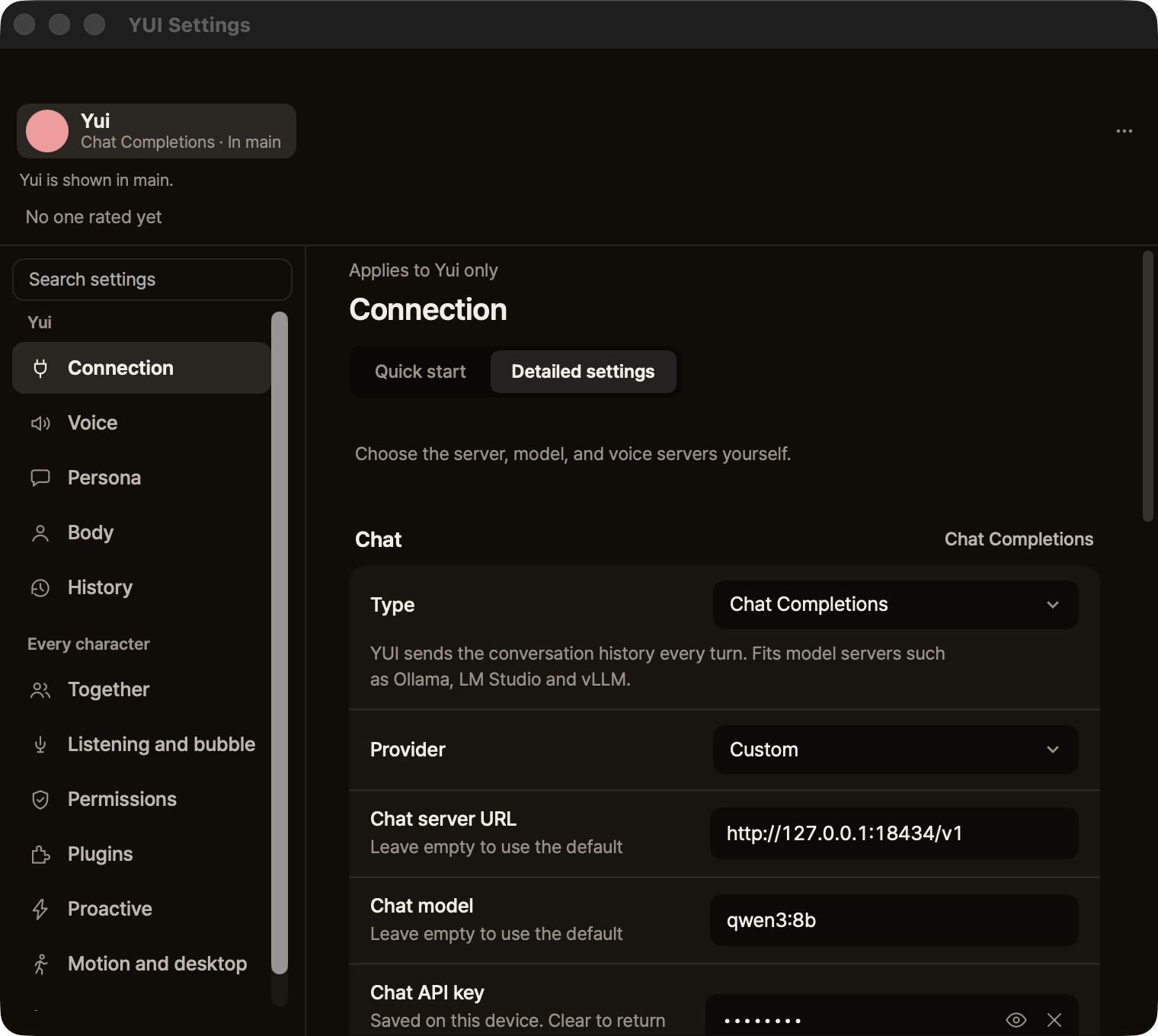
Right-click the character and choose All settings….
Open Connection. With no chat connected, it opens Quick start, which takes a Google Gemini key for the free tier.
Pick a Provider (OpenAI, Ollama, LM Studio, Groq, Google Gemini, Hermes Agent, or Custom).
A preset fills Chat server URL. Google Gemini also fills Chat model. Enter the Chat model yourself when the preset fills no model.
Hermes Agent switches Type to Push and fills no URL. Ollama and LM Studio must be running.
Enter a Chat API key if the provider needs one, close the window, and press
/to type a message.
The line under each section says whether that server answers. Reconnect checks again.
Which protocol
Type sets the protocol. Chat Completions is the default.
| Your backend | Protocol |
|---|---|
| A server that only serves a model (Ollama, LM Studio, Groq, Google Gemini) | Chat Completions |
| A server that keeps the conversation | Responses |
| An agent that speaks first | Push |
Tips
- The same OpenAI key goes into Chat API key and TTS API key, so one key gives chat and voice.
- Chat Completions needs a model that calls tools, because YUI always declares its expression tool (for example qwen3 on Ollama).
- A Responses server that keeps no responses answers 404 on every later turn, and the bubble shows a reset notice. Pick Chat Completions for it.
- Google Gemini has a free tier with a daily limit, and the key comes from Google AI Studio. On the free tier, Google may use what you send to improve its products, and people may review it.
- Reasoning effort sets how deeply the model thinks before it answers. A push backend decides this itself.
What the connection remembers
With Chat Completions, the client sends the session transcript every turn. With Responses, the server keeps the history.
Conversation history is not long-term memory. For long-term memory, connect an agent that keeps its own memory, or add an external memory setup to the backend.
Agents with an integration
Hermes Agent is one optional backend. Its integration README describes the wiring.
A push backend can ask you questions in an Ask card and offer slash commands (Controls).
Go deeper
- Exact keys in
configs/endpoints.json: Configuration. - Push transport: the wire contract a push backend implements.