Plugins
Plugins add MCP servers and skills to the backend of every character. The page is desktop-app only, in a build that runs the plugin host.
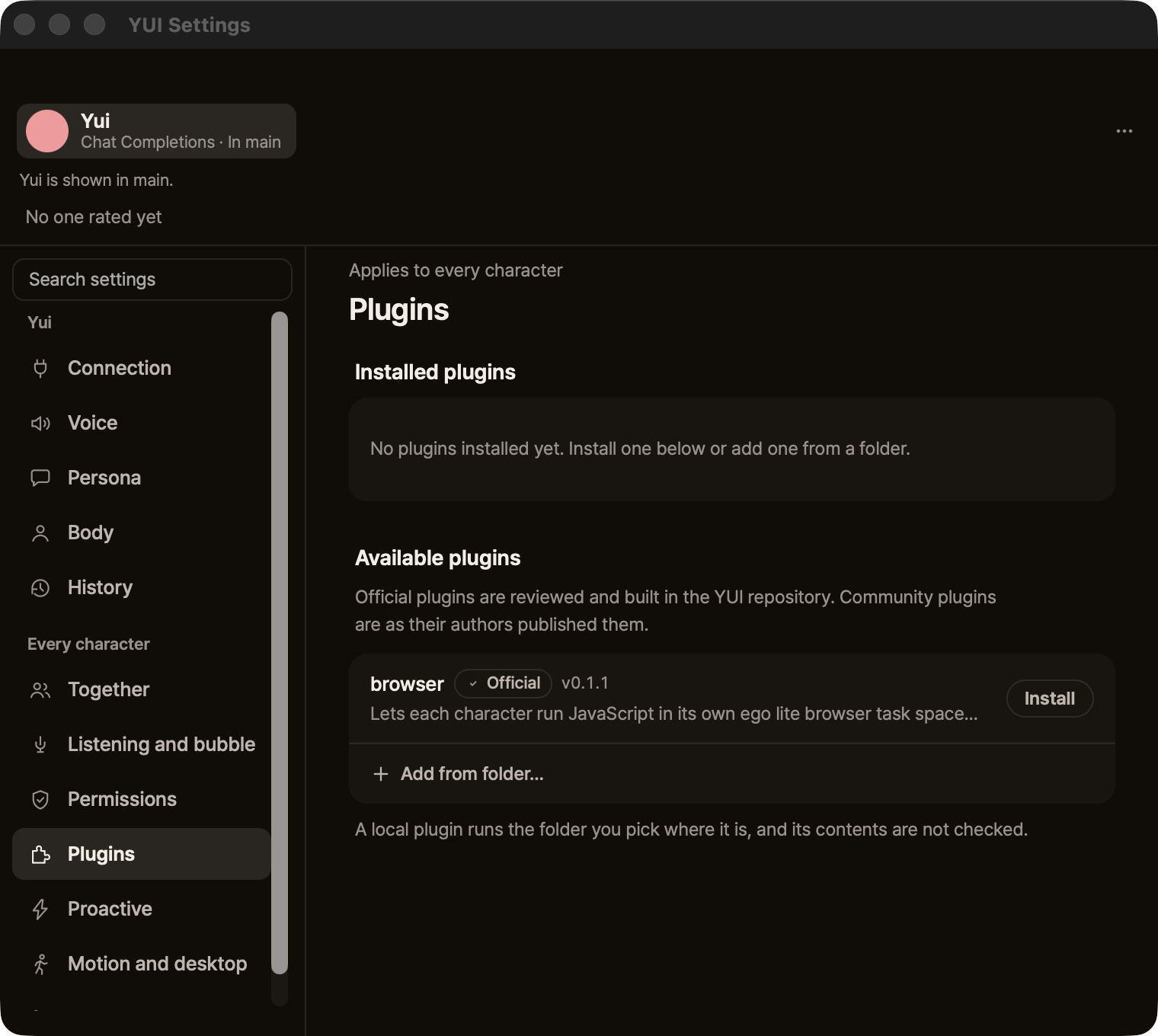
Install
Available plugins lists the catalog entries for your platform that are not installed, each with a source badge and version.
Official plugins are reviewed and built in the YUI repository. Community plugins come as their authors published them, checked against the author's checksums.txt.
Install unpacks the release into the app's data folder, and a failure shows its reason with Retry. An installed plugin starts off.
Turn on with consent
The first time you turn a plugin on, the switch asks in two steps.
- The first step shows Source, Version, and Launch command. Allow records your approval and starts the servers with your permissions, for every character.
- The second step lists the tools and skills the backend sees. It calls tools through
yui_tool_describeandyui_tool_call, and reads skills throughplugin_skill.
That first step is the only gate. A local plugin is approved once for its folder.
Update
Update to v<version> installs that version in place of the old one. An Official update keeps the plugin running.
A Community update clears the approval. The row shows Allow again… with a note that the update modified its contents.
Check for updates reloads the catalog and reports Updates: n or All up to date.
Remove
Delete removes a catalog plugin's code, data, and installed versions. Remove from list removes a local plugin from the list, deletes its data, and leaves its folder. Both ask for confirmation first.
Add from a folder
Add from folder… opens a folder picker. The folder needs .claude-plugin/plugin.json. A .mcp.json declares its servers, and skills/*/SKILL.md declares its skills. The plugin runs in place, and its contents are not checked.
Status lines
| State | What it means |
|---|---|
| Running | The server answered and declared its tools |
| Starting… | The server is launching and connecting |
| Unavailable | A start step failed, named with its reason; Retry starts it again |
| Exited | The server ran and then ended, with its reason; Restart starts it again |
| Off | The plugin is off, so nothing runs |
Hidden names
A tool or skill name has one holder. The earlier holder wins: a built-in tool first, then each plugin in turn-on order.
A later plugin with a taken name keeps running and hides that name. The page names every hidden name and its holder.
Log
Log shows the plugin's last lines, up to 20. Open log folder opens the folder with the full logs: plugins/<id>_YYYY-MM-DD.log in the app's log folder, ~/Library/Logs/com.yui.desktop/ on macOS in a release build.
Tips
- A failed start leaves the plugin on, and the app tries its servers again at the next launch.
- Changing the files in a local plugin's folder does not ask for consent again.
To write a plugin, see Write a plugin. To share one, see Contribute a plugin.