Settings
The settings window opens from Settings… in the tray menu or from All settings… on her quick card. The strip picks the character it edits, and the rail splits into two groups: that character's pages and every character's. The search box highlights the rows that match and dims a page with no match.
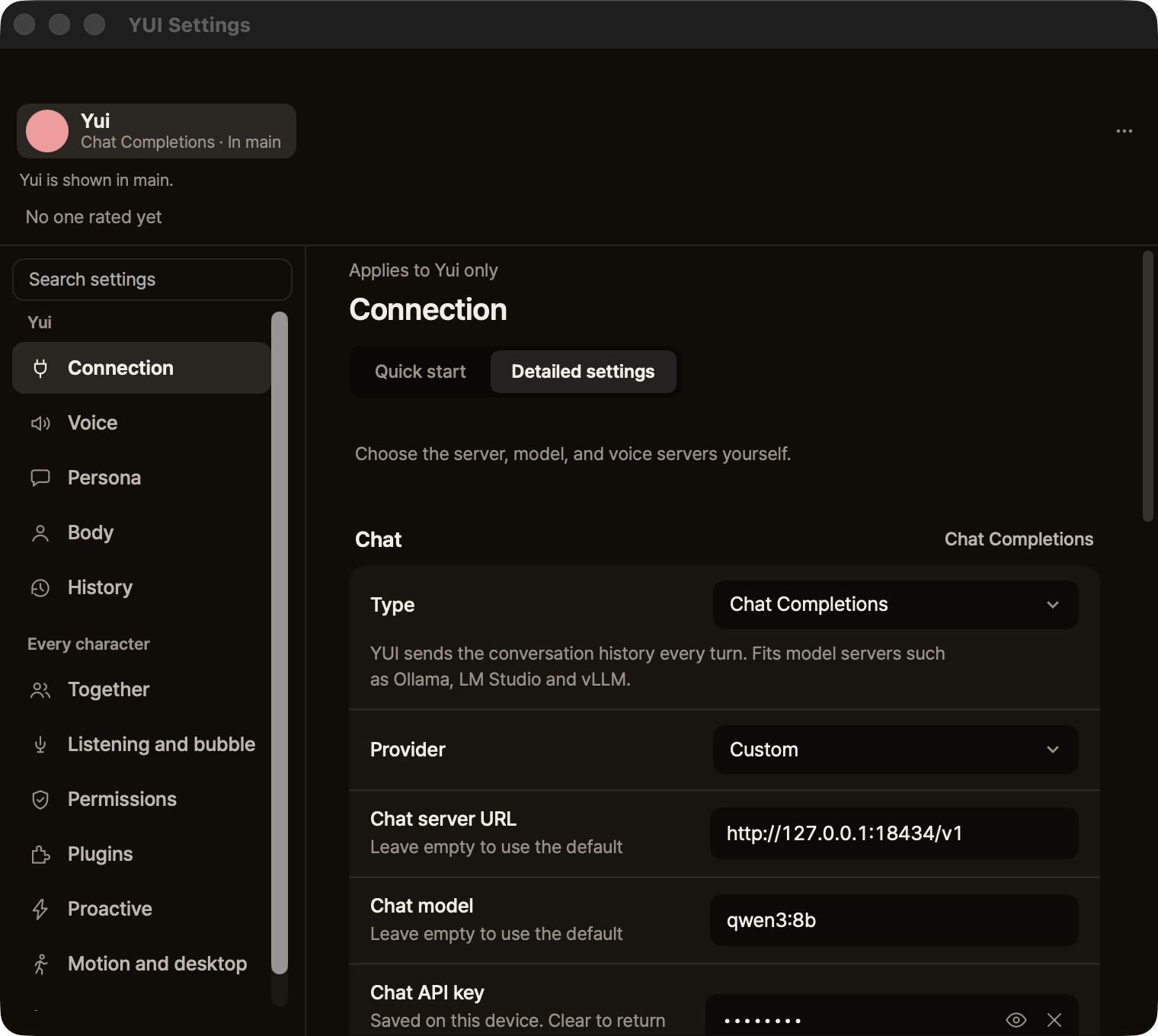
| Page | What it is for |
|---|---|
| Connection | Chat, speech recognition, and speech synthesis for this character, with Reasoning effort (Connect a backend, Voice in and out) |
| Voice | How she speaks, and her message window (Voice in and out) |
| Persona | Her card (Cards) |
| Body | The model that renders her, her relations, and the camera |
| History | The conversation, session by session, on this device, with the context meter and delegated tasks; a reset keeps the earlier turns |
| Together | Several characters at once, up to 4, with main always on; Relations off hides the sliders and keeps the stored values |
| Listening and bubble | Her ears and the speech bubble; the reading dictionary is case-sensitive and the longest word wins |
| Permissions | What she may see of your screen; both switches are off by default, and screen watch sends no pixels without Attach screenshot |
| Plugins | MCP servers and skills for every character's backend; install from the catalog, then Allow each one before it runs (Plugins) |
| Proactive | When she speaks first, and the workflows she fires on demand (Features) |
| Motion and desktop | How she moves, climbs, falls, and spends power; a motion you turn off drops out of her vocabulary |
| General | Language, Appearance, Text size, Your name, Developer Tools with the context inspector and the motion preview, and the two Help entries, for this device |
Tips
- On Connection, Quick start opens when nothing is connected. An empty field uses the bundled default.
- On Connection, Reset clears a section's fields. Reset Chat and Reset TTS also clear their keys. Reset STT keeps the shared STT key.
- The Voice page's message window is off outside the desktop app and while unified chat shows.
- Plugins appears only in the desktop app, where the plugin host runs.
- The note line under the strip says where a change shows: in main, in that character's own window, or when it opens.
- A language change reloads the panel.